 Job Prosperity
GUIDE
How to track job applications without maintaining a second job
Build a reliable record of roles, stages, contacts, and next actions—then keep it current with a short weekly review.
Tracking job applications is valuable only when the record changes your decisions. A beautiful spreadsheet that is two weeks out of date creates more uncertainty, while a plain list with current next actions can keep a busy search under control. Start with the smallest data model that answers what the role is, where it stands, and what you will do next.
You can use a spreadsheet, a database, or a dedicated job application tracker. The method matters more than the tool: capture a role once, update it after meaningful events, and review active opportunities on a predictable schedule.
Capture eight fields for every opportunity
| Field | What to record | Why it matters |
|---|---|---|
| Company and role | The employer and exact position title. | Creates a stable identity for the record. |
| Status | Your current pipeline stage. | Shows the relationship at a glance. |
| Next action | One specific task or review decision. | Turns the record into a workflow. |
| Due date | A true deadline or chosen review date. | Supports prioritization without false urgency. |
| Contact | The relevant recruiter or hiring contact. | Preserves conversation context. |
| Link | The listing, company page, or application portal. | Returns you to the original source. |
| Notes | Concise facts, constraints, and decisions. | Reduces repeated research. |
Company and role form the human-readable identity. If you apply to two jobs at one employer, create two records. Keep the source link even when a listing may later disappear, and save only the notes you will genuinely use. Avoid collecting sensitive personal information simply because the tool provides space.
Choose stages before the list gets busy
Use prospect, applied, conversation, interview, offer, and archived as a starting point. Define an event for each transition so you do not move a role based on hope or vague language. The detailed guide to job application pipeline stages includes entry rules and examples.
Keep “waiting” out of the stage list. Waiting can occur after an application, during scheduling, or after an interview. Preserve the meaningful stage and use a review date to decide when the role needs attention again.
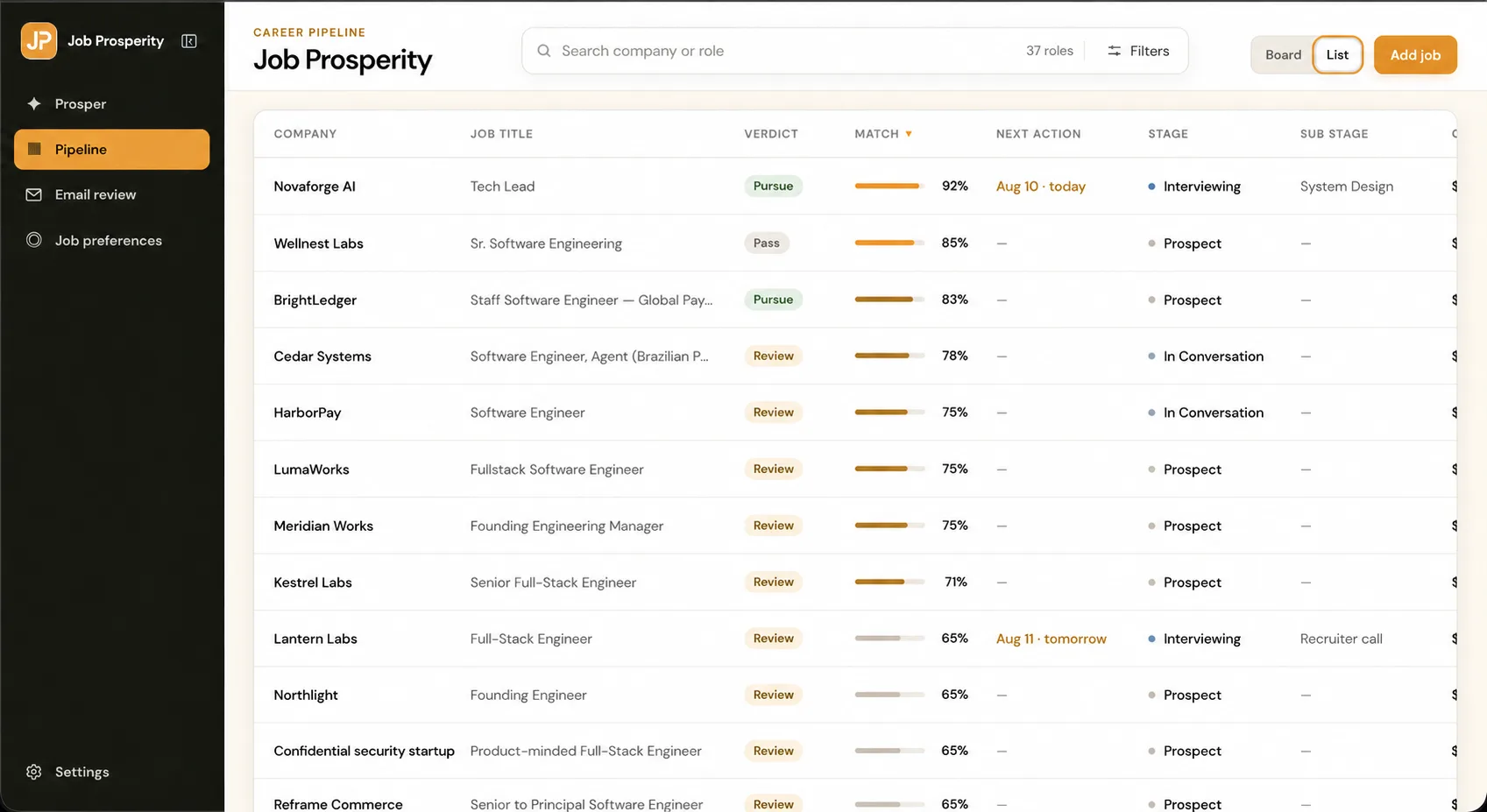
Write next actions you can complete
“Work on application” is a project, not a next action. “Draft the two-paragraph motivation response” is specific. “Prepare for interview” is broad; “choose three examples for the leadership questions” can fit into a work session. A concrete verb and visible finish line reduce the effort of restarting.
Use due dates carefully. Application deadlines and confirmed interviews are real constraints. A date for checking an unanswered application is a review date, not a promise that the employer will respond. This distinction keeps your tracker useful without suggesting that it predicts or protects every deadline.
Connect email without using unread as a task system
Recruiting email contains evidence about stage changes, dates, and contacts, but inbox state is a poor substitute for an opportunity record. A read message may still require action; an unread newsletter may require none. Connect the important message to the role, verify the facts, then write the next action.
The Gmail job tracker provides an optional read-only review workflow. If you prefer a manual system, use the conventions in Gmail labels for job search. In both cases, you remain responsible for outbound messages and final updates.
Use a ten-minute daily scan and weekly review
- Daily: check true deadlines and confirmed interviews.
- Daily: work from explicit next actions, not from the size of the company name.
- Weekly: fill missing actions and resolve reached review dates.
- Weekly: verify stages against the latest meaningful event.
- Weekly: archive closed roles and remove tasks that no longer matter.
- Monthly: simplify any field or stage you consistently ignore.
Do not turn the review into performance theater. Application counts, response rates, and stage distribution can reveal patterns, but small samples and market conditions limit what they mean. Use the tracker to allocate attention and preserve context, not to guarantee an outcome.
For interview-stage roles, switch to the interview preparation workflow. For a no-cost starting point, establish the tracking habit first with tools you already use. When you need linked messages, board views, and an attributed activity history, Job Prosperity offers the same method in a private workspace.
When you begin, enter only current opportunities and any recent closed roles whose context still matters. Backfilling months of history delays the habit you are trying to build. Set a consistent format for dates, role names, and links so sorting remains predictable. If you collaborate with a coach, decide which notes are appropriate to share and keep personal reflections somewhere private.
Periodically check whether each field earns its upkeep. A source column can show which channels produce useful conversations, but only if you record it consistently. A priority score may feel precise while hiding the actual tradeoffs. Remove fields you never use in a decision. Add a field only after the same missing fact has interrupted several reviews; one unusual role does not require redesigning the whole tracker.
Back up or export the record on a schedule appropriate to the tool. A local spreadsheet can be copied securely; a hosted tracker may offer its own export. Test that the file opens and contains the fields you expect. A backup is useful only when you can recover understandable data from it.