 Job Prosperity
GMAIL JOB TRACKER
Turn recruiting email into a reviewable job-search workflow
Organize relevant Gmail activity around opportunities while Gmail stays the source of truth and every outward action stays yours.
A busy inbox mixes interview invitations and recruiter replies with alerts, newsletters, and ordinary work. A Gmail job tracker should help you separate recruiting signal without forcing you to maintain a second, disconnected archive. Job Prosperity connects relevant messages to the opportunity you are already tracking, where you can review context and decide on a next action.
Google sign-in and Gmail access are different choices. You can create an account without granting mailbox access, and the optional Gmail integration requests read-only permission. Job Prosperity does not autonomously send email, create drafts, or decide who should hear from you.
Start with a simple inbox convention
Before adding another tool, make recruiting messages easy to recognize. Use a small number of Gmail labels based on function, such as action needed, interview, and waiting. Avoid recreating your entire application pipeline as labels; the inbox is best at communication state, while an opportunity tracker is better at role state.
The guide to Gmail labels for a job search includes a compact label system and a weekly cleanup routine. If you prefer to work without an integration, those conventions still provide a reliable manual workflow.
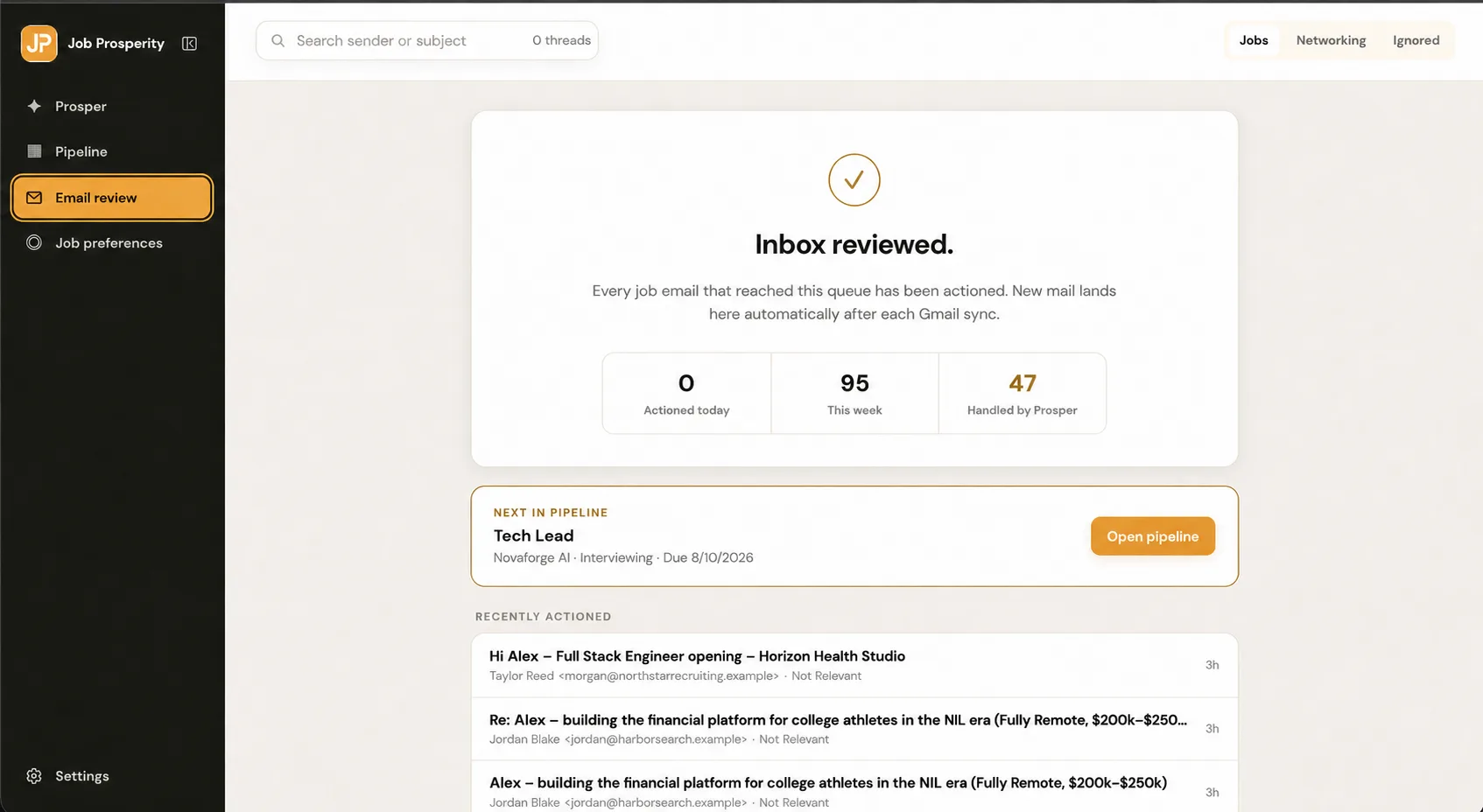
Connect a message to the opportunity it concerns
The important unit is the opportunity, not the email thread. When a message matters, associate it with the correct company and role. Then confirm whether it changes the stage, introduces a firm date, or calls for a next action. A recruiter reply may move a role from applied to conversation; an interview invitation may require you to confirm logistics and begin preparation.
Keeping this relationship visible makes later review much faster. From the job application tracker, you can see the role in the pipeline rather than relying on unread status as a task list.
Review assisted organization before relying on it
Machine classification can reduce triage, but it should not silently redefine your career record. Job Prosperity is designed so AI-assisted activity is attributed and reviewable. If a message is unrelated or connected to the wrong opportunity, correct it. If the message contains an ambiguous date or commitment, rely on the source email and your own judgment.
This is especially important for interviews. Move confirmed logistics and your preparation plan into the interview workflow, but do not assume the software generated or verified preparation material for you.
Close every review with a deliberate decision
Inbox organization is complete only when it changes what you will do. After reviewing a relevant message, record one outcome: a concrete next action, a later review date, a stage update, or no action. For waiting conversations, the follow-up tracker helps you keep the intended contact and timing visible without sending anything automatically.
Mailbox content and authenticated job information are not placed on public pages or in public analytics. You can disconnect Gmail, and account controls remain distinct from the public website. See how Job Prosperity handles security and access boundaries for more detail.
A weekly cleanup keeps the connected workflow credible. Resolve messages that remain in review, confirm that each linked role is the right one, and remove labels or tasks that no longer describe real work. If the same sender discusses several positions, use the company and exact role title rather than assuming every thread belongs to one opportunity. This small verification step prevents convenient inbox automation from creating confusing application history.
Frequently asked questions
Does Job Prosperity send email for me?
No. Job Prosperity organizes relevant recruiting activity for review; it does not autonomously send messages or choose recipients.
Is Gmail access required?
No. Gmail is an optional connection. You can use the application tracker by adding opportunities yourself.
What Gmail permission is requested?
The optional integration uses read-only Gmail access. It is separate from the identity scopes used for Google sign-in.
Should I still use Gmail labels?
Labels can remain useful for broad inbox organization. Job Prosperity adds an opportunity-centered view so a message, stage, and next action can be reviewed together.